
Lock Coach

Lock Coach

Lockpicking helper for Gothic 1 Remake

Point your phone camera at the lockpicking minigame and see every move: which plate, which way and how many times. On a PC, your phone can even press the keys for you.

Get it on Google PlayiPhone versioncoming soon

Free to download · first 2 locks free · optional purchases and ads

  • First 2 locks free
  • No account
  • Video stays on your phone
  • No mods or cheat codes
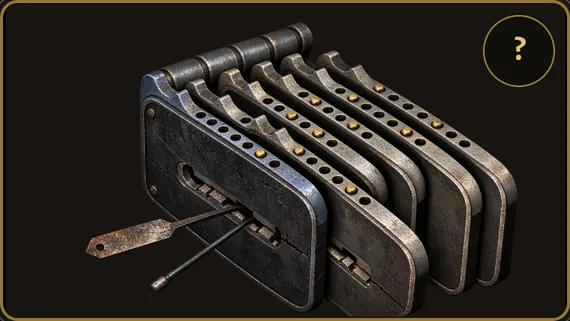
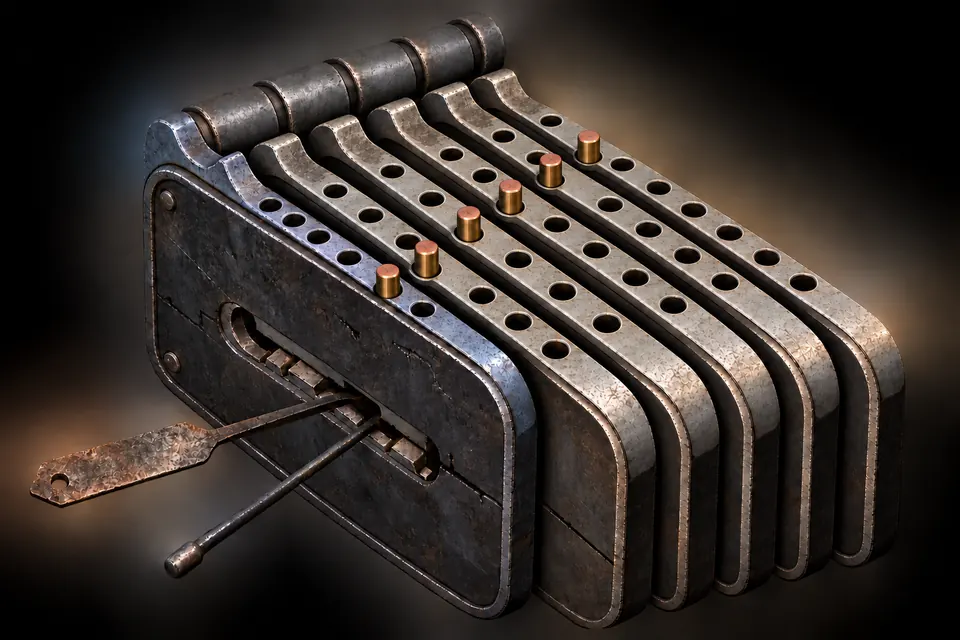
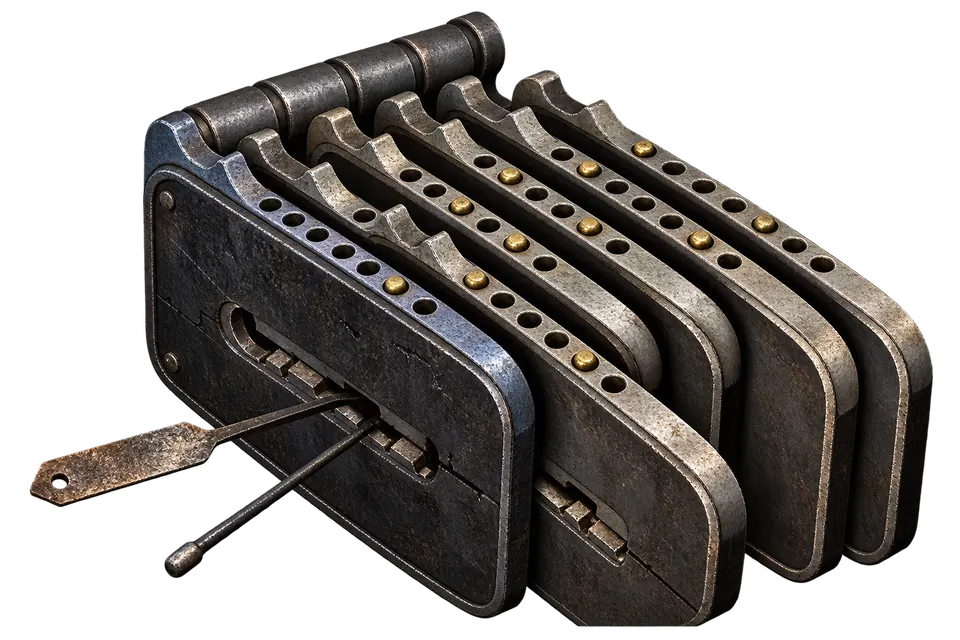
Illustration of a forged lock with six plates and brass pins
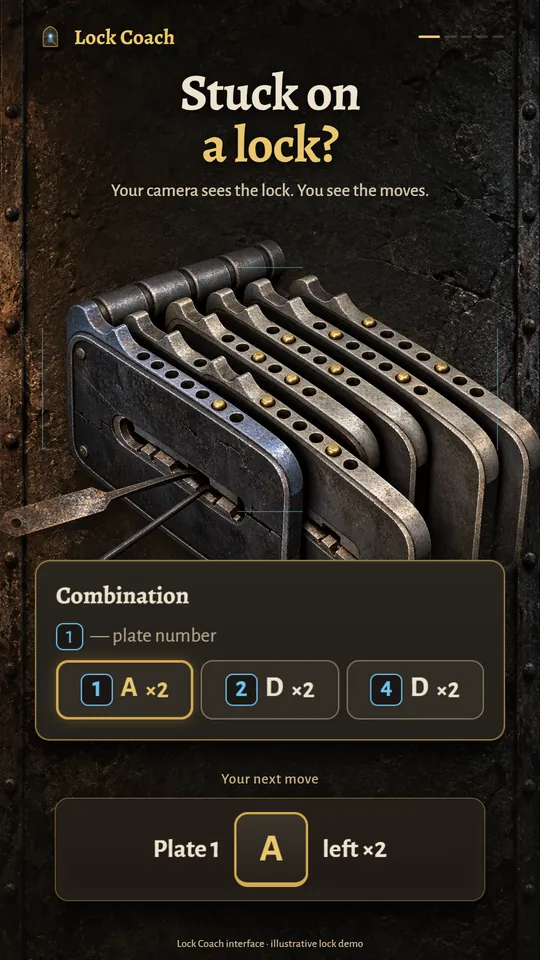
Lock Coach on a phone: the camera sees the lock and the combination is shown below it
Illustration · Lock Coach interface with a demo lock

How it works

From stuck to open in three steps

No mods and nothing to install on your PC or console: the phone simply looks at your screen.

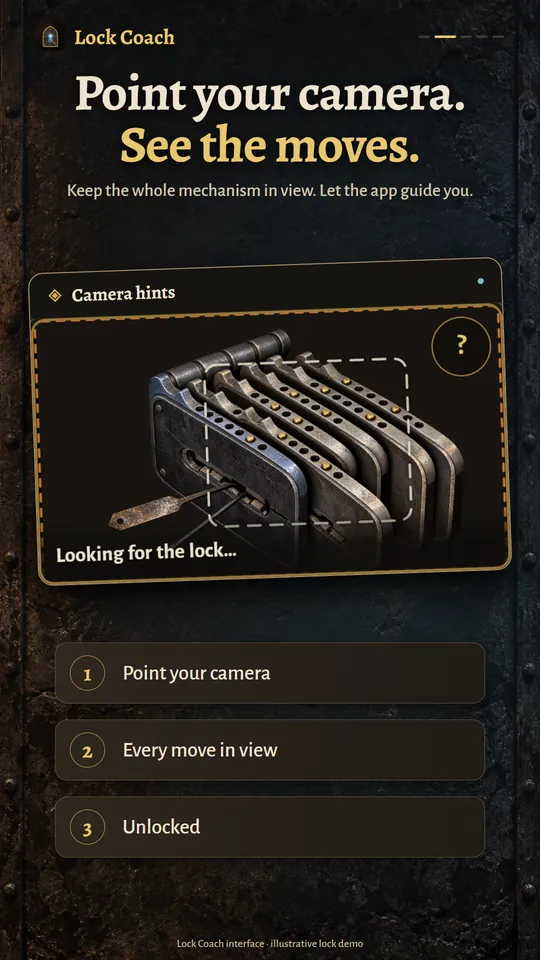
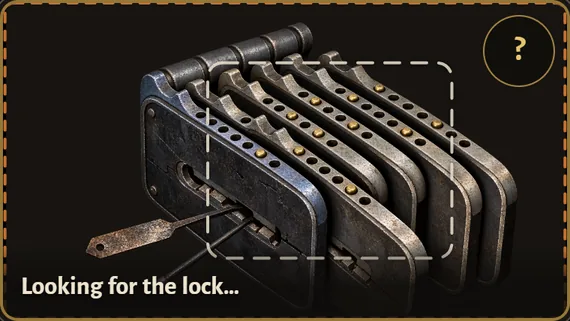
  1. Lock Coach camera view: the lock inside the aiming frame while the app looks for it

    Point the camera

    Start picking a chest or a door in the game. Point your phone at the screen so the whole lock is in the frame.

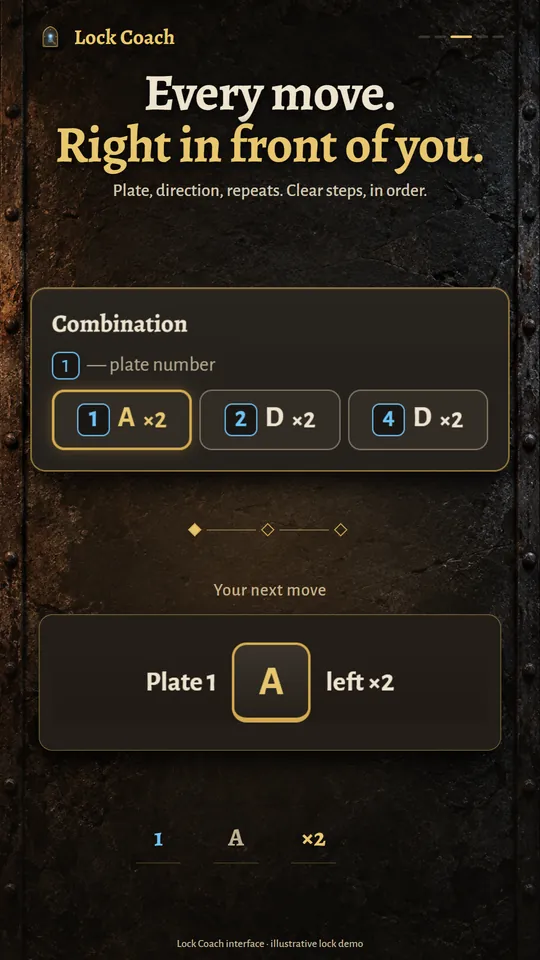
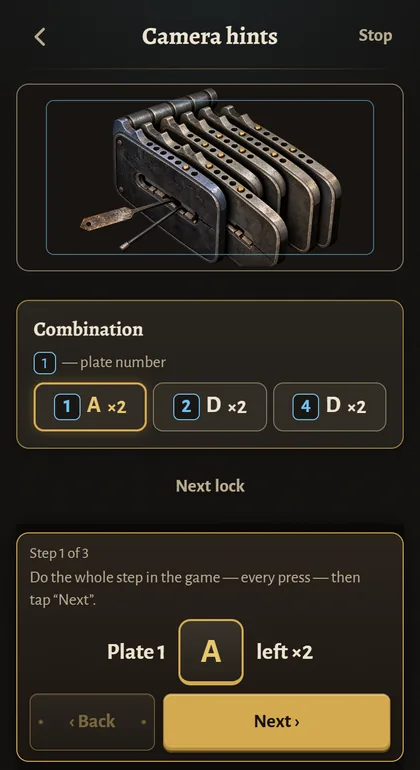
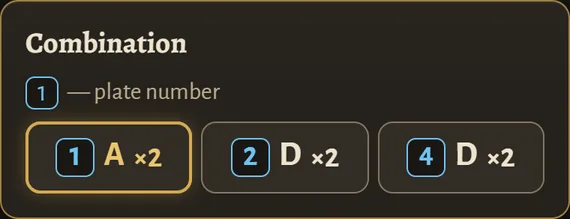
  2. The combination in Lock Coach: plate 1 left twice, plate 2 right twice, plate 4 right twice

    See every move

    For a recognized lock, the app shows the whole combination at once: plate number, direction and number of presses. The current step is highlighted.

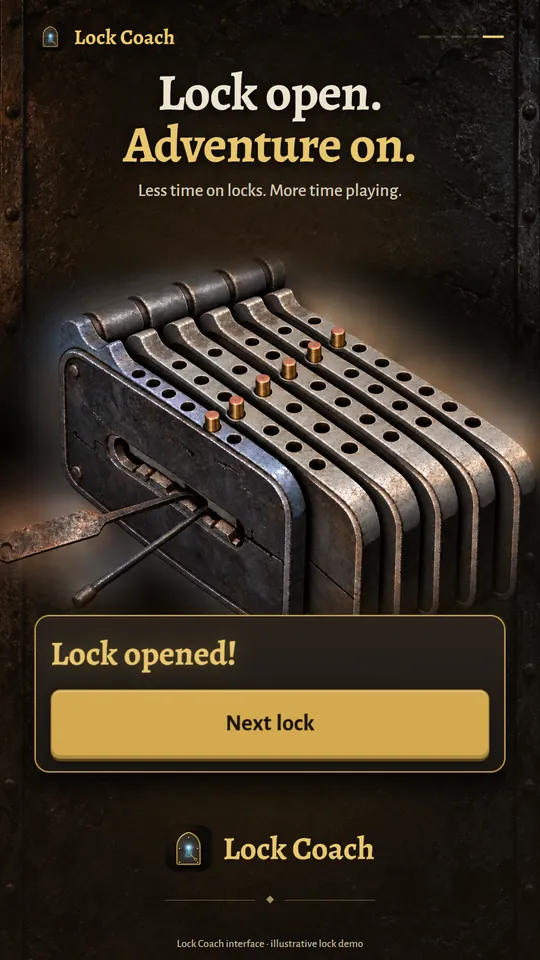
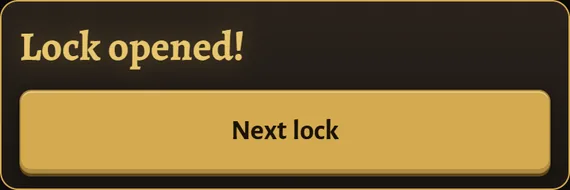
  3. Lock Coach showing “Lock opened!” and the “Next lock” button

    Open the lock

    Make the move in the game and tap Next. After the last step, the lock opens and you get back to the adventure.

Two modes

Hints on any screen, autopilot on PC

Follow the moves yourself, or let a compatible Android phone press the keys on your Windows PC.

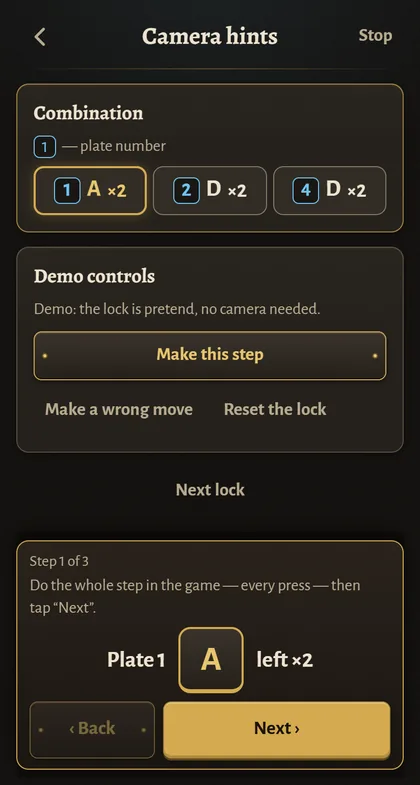
Lock Coach demo: the combination with the current step, plate 1 left twice

Camera hints

The whole combination in front of you

The phone reads the lock through the camera and lays out every move in large, easy-to-read steps. You press the buttons yourself on PC, PlayStation 5 or Xbox.

  • Plate number, direction and number of presses, step by step
  • Unfamiliar lock? The app guides you one move at a time, and the camera checks each move
  • Button icons for keyboard, PlayStation or Xbox
  • Vibration and sound tell you when the lock opens

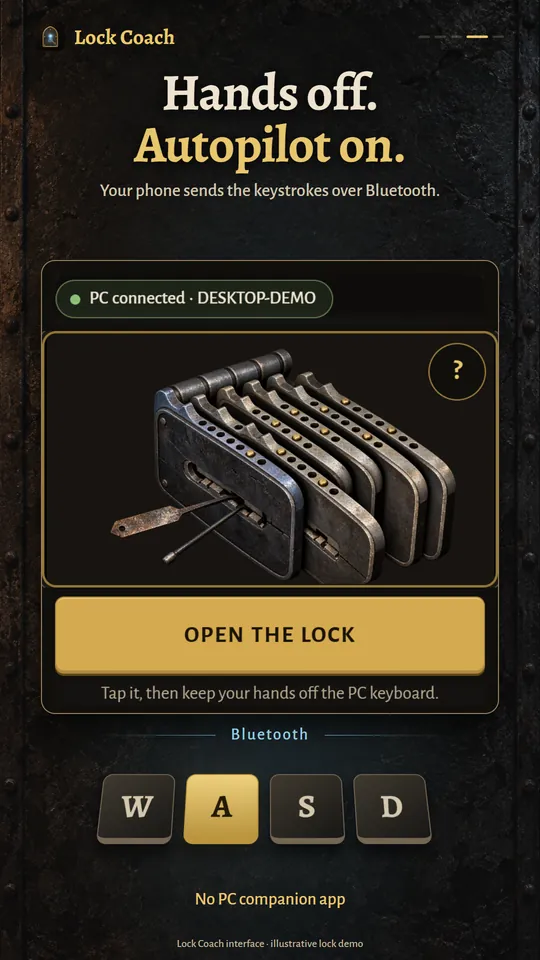
The phone camera sees the lock on the PC monitor

Keys it presses over Bluetooth

WASDR

PC autopilot

Hands off: the phone opens the lock

Pair your phone with your Windows PC once, as a regular Bluetooth keyboard. The camera watches the lock and the app presses the keys. Nothing to install on the PC.

  • Presses only W, A, S, D and R, and only while it sees the lock
  • Lock out of the frame? It pauses and carries on when the lock is back
  • Touch the screen to stop it instantly
  • Pair once, and the phone reconnects by itself

Requires an Android 9+ phone that supports the Bluetooth keyboard profile, a Windows 10 or 11 PC with Bluetooth, and the game window in focus. Automating input may violate the terms of the game or platform. Use it at your own risk.

Screenshots

Lock Coach in action

The real app interface. The lock in the pictures is an illustration.

Pricing

Free to start

Your first 2 locks are free. After that, pick what suits you.

  • 2 locks free

    No sign-up and no card. Install the app and try it on real locks.

  • Packs of 10 or 30 opens

    A one-time purchase. Opens never expire.

  • Weekly subscription

    Unlimited opens. Renews weekly, no free trial. Cancel any time in the store.

  • Rewarded ads

    Watch 3 ads to the end to earn 1 open. Your progress is saved.

In camera hints mode, an open is used when the moves of a new lock are first shown; the same lock stays free for the next 12 hours. In autopilot, an open is used only when the lock actually opens. The demo is always free. Prices are shown in the store in your currency, and availability depends on your store and region.

Clean and private

No mods. No account. No video uploads.

Lock Coach sees only what you point the camera at, and keeps it on your phone.

  • No mods or cheat codes

    The app never touches the game files or memory. It reads the screen and, in PC mode, sends key presses.

  • Video stays on your phone

    Camera frames are analyzed on your phone and never uploaded.

  • Works offline

    Recognition, hints and autopilot work without an internet connection. You only need one for purchases and ads.

  • No account

    No sign-up and no login. Your opens and settings are stored on your phone.

FAQ

Questions and answers

Everything about the app and the lockpicking minigame in Gothic 1 Remake.

What is Lock Coach?

Lock Coach is a phone app that helps with the lockpicking minigame in Gothic 1 Remake. The camera reads the lock on your screen and the app shows every move you need to make. On a Windows PC, it can also press the keys for you. It is an unofficial, fan-made tool.

How do I open a lock in Gothic 1 Remake with Lock Coach?

Start picking a chest or a door, point the phone at the screen so the whole lock is in the frame, and follow the steps: plate, direction and number of presses. Make each move in the game and tap Next. If the lock has already been moved, press R in the game to reset it, because the app recognizes a lock by its starting position.

Do I have to type the lock into a solver?

No. With online lockpick solvers and calculators, you either enter the plates, pins and links by hand or look up your lock in a list. Lock Coach reads the lock through your phone camera, so there is nothing to look up or type, and on a PC it can even press the keys for you.

How does lockpicking work in Gothic 1 Remake?

A lock has 4 to 7 plates, each with one pin. The goal is to move every pin to the middle hole, but turning one plate can also move the plates linked to it. Each time a plate hits the wall, your lockpick takes damage: an untrained pick breaks after two hits, and training with Fingers in the Old Camp makes it more forgiving. Lock Coach knows 345 locks (chests, doors and rooms, including Scatty’s chest from the quest “A Ring for Fingers”) and works out the moves for you.

Does it work on PlayStation 5 and Xbox?

Yes, in camera hints mode, as long as the camera has a clear view of your TV: the phone shows the moves and you press the buttons on your controller. You can switch the button icons to PlayStation or Xbox in Settings. Console autopilot is not available yet.

What do I need for the PC autopilot?

A phone running Android 9 or newer that supports the Bluetooth keyboard profile (on Android, the app shows PC mode only on compatible phones), a Windows 10 or 11 PC with Bluetooth, and the game window in focus. There is nothing to install on the PC: it sees the phone as a regular keyboard.

Is there an iPhone version?

The iPhone version is being prepared for the App Store. For now, Lock Coach is available on Google Play for Android phones (Android 7.0 or newer).

Is Lock Coach free?

Your first 2 locks are free, and the demo is always free. After that, you can buy packs of 10 or 30 opens, get a weekly subscription with unlimited opens, or earn opens by watching ads: 3 fully watched ads earn 1 open. Availability of purchases and ads depends on your store and region.

Does Lock Coach modify the game?

No. There are no mods or cheat codes: the app never changes the game files and never reads the game's memory. It only looks at the screen through the camera and, in PC mode, presses keys like a regular keyboard. Keep in mind that automating input may violate the terms of the game or platform.

Does the app upload my camera video?

No. Frames are analyzed on your phone and then discarded. The app has no servers of its own. Ads and purchases are handled by Google, Apple and RevenueCat; the details are in the privacy policy.

What if the app does not recognize the lock?

Keep the whole lock in the frame and let it fill at least a third of the frame. Hold the phone level, 30⁠–⁠50 cm from the screen, tilt it slightly to avoid glare, and move a little closer or farther away if you see ripples. If the lock was already moved, press R in the game. For an unfamiliar lock, the app can guide you one move at a time.

Can a lockpick still break?

Following the moves avoids wrong turns, but a skipped step can still cost you a lockpick. Save before you pick, so if a lockpick breaks, you can just reload. In autopilot, after a wall hit, a lockpick guard makes only moves that cannot hit the wall again, or stops the run.

Which languages does Lock Coach support?

English, German, Russian, Polish, Spanish, Italian, French, Portuguese (Brazil), Japanese and Simplified Chinese — the same languages as the game. The app follows your phone's language automatically.

Is Lock Coach affiliated with THQ Nordic?

No. Lock Coach is an unofficial, fan-made tool. It is not affiliated with, endorsed or sponsored by THQ Nordic or Alkimia Interactive.

The same lock, opened: all plates aligned and the pins raised

Download

Stop fighting locks. Get back to the adventure.

Install Lock Coach, try the demo and open your first 2 locks for free.

Get it on Google PlayiPhone versioncoming soon

Free to download · first 2 locks free · optional purchases and ads